
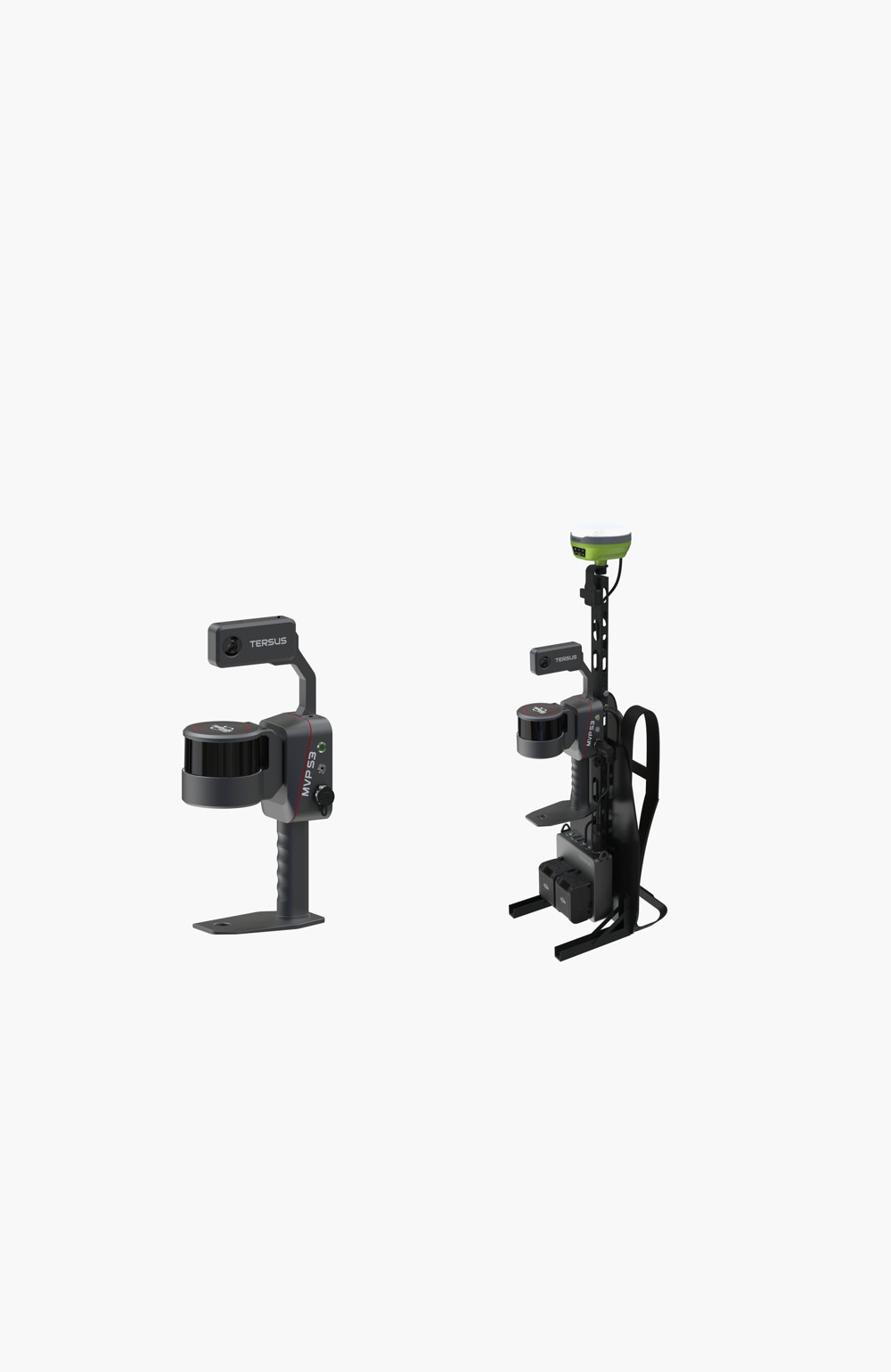
MVP S3
Mobile mapping for large and complex sites
Key specifications at a glance
Key capabilities
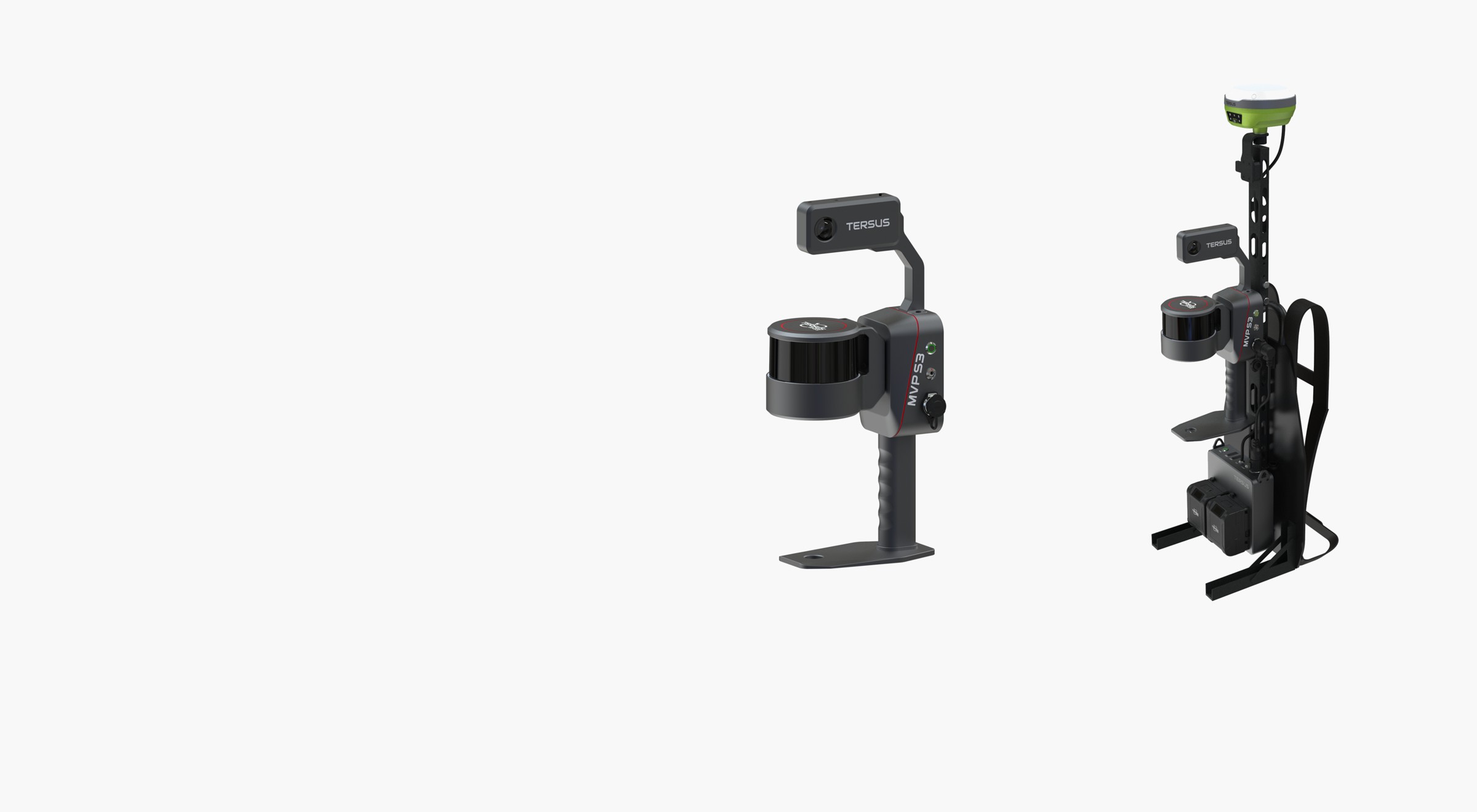
Flexible field configurations
Handheld and backpack configurations for different routes and site conditions
Live coverage preview
Live point-cloud preview in MVP Capture
Refine with project control
Manual control-point addition and reprocessing to re-optimize the trajectory and correct local drift
Optional satellite positioning
Optional LUKA-TAP positioning for scanning without a local GNSS base station
Extended field sessions
Two hot-swappable batteries for uninterrupted recording and 1 TB onboard storage
From capture to deliverables
Point-cloud measurement, editing and extraction for downstream CAD, BIM and GIS work
Optional modules are shown in selected product configurations. Satellite PPP requires suitable satellite reception and convergence. System performance depends on site conditions, trajectory, control and processing.
Capture, positioning and processing
Flexible capture for demanding mapping projects
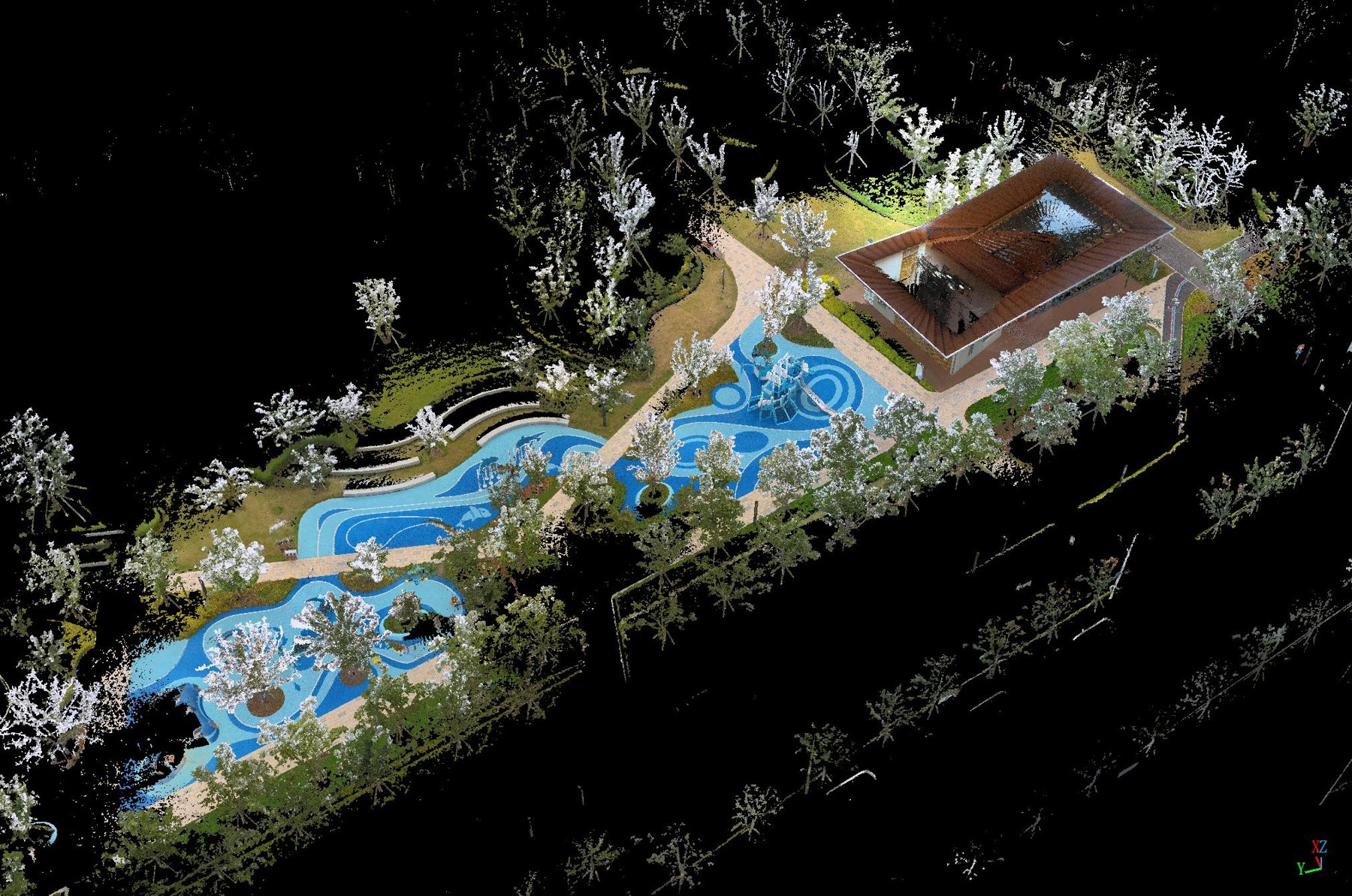
MVP S3 is a mobile SLAM 3D laser scanner designed for indoor, outdoor and mixed-environment reality capture. Its 32-channel LiDAR combines a measurement range of up to 120 m with a scan rate of 640,000 points per second to collect detailed spatial data across buildings, roads, infrastructure, mines and forested sites.
Choose handheld operation for shorter surveys or a backpack configuration for longer routes. Hot-swappable batteries support extended field sessions, while optional panoramic imaging adds visual context to the captured geometry. The optional LUKA-TAP receiver adds RTK and satellite-based PPP positioning. A field-to-office software workflow carries the data through processing and inspection to project deliverables.
Map large and complex environments
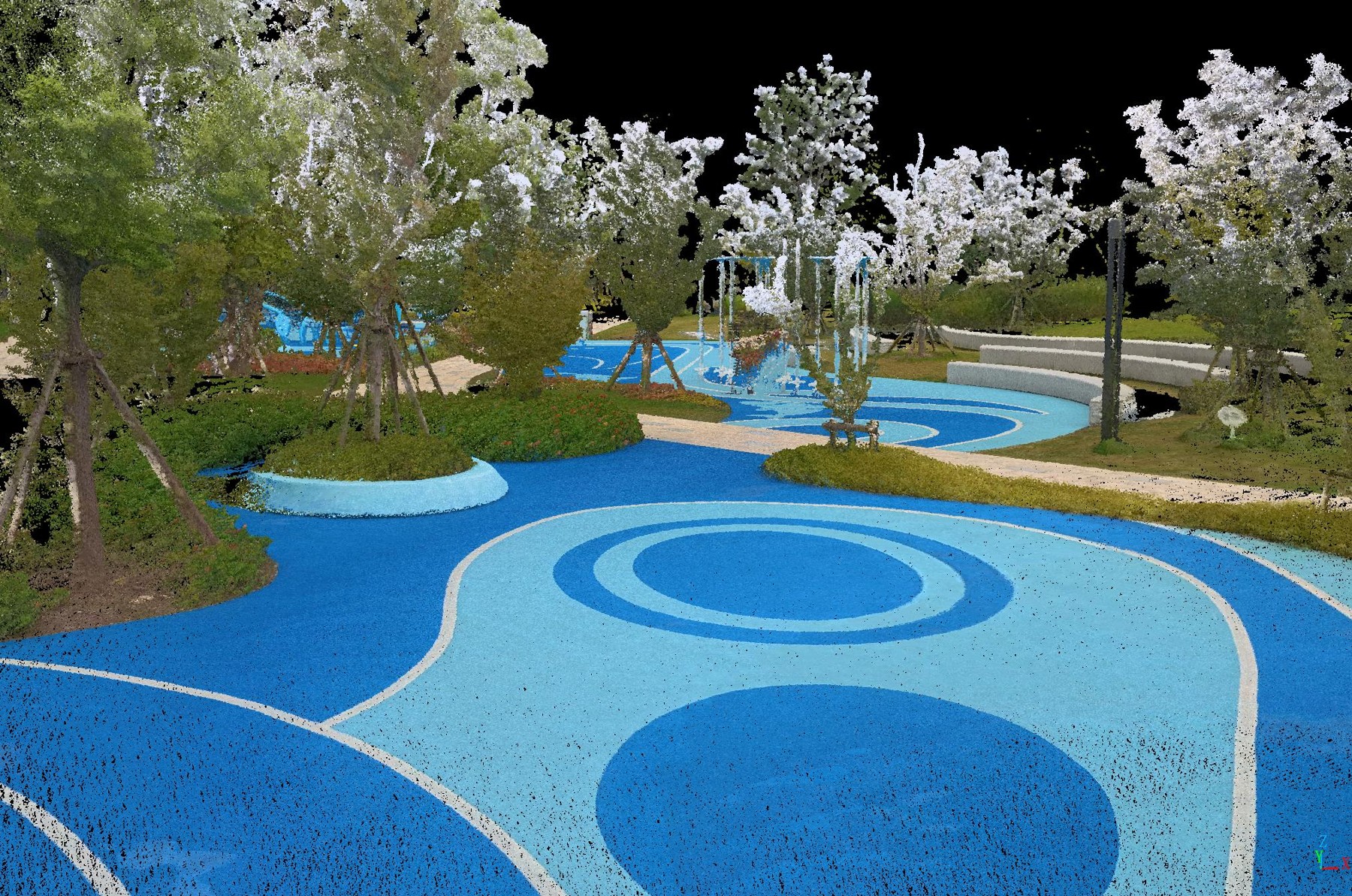
MVP S3 uses SLAM for mobile mapping through indoor spaces, outdoor areas and the transitions between them. Capture surrounding geometry as you walk, with routes planned to suit site access, visibility and project-control requirements.
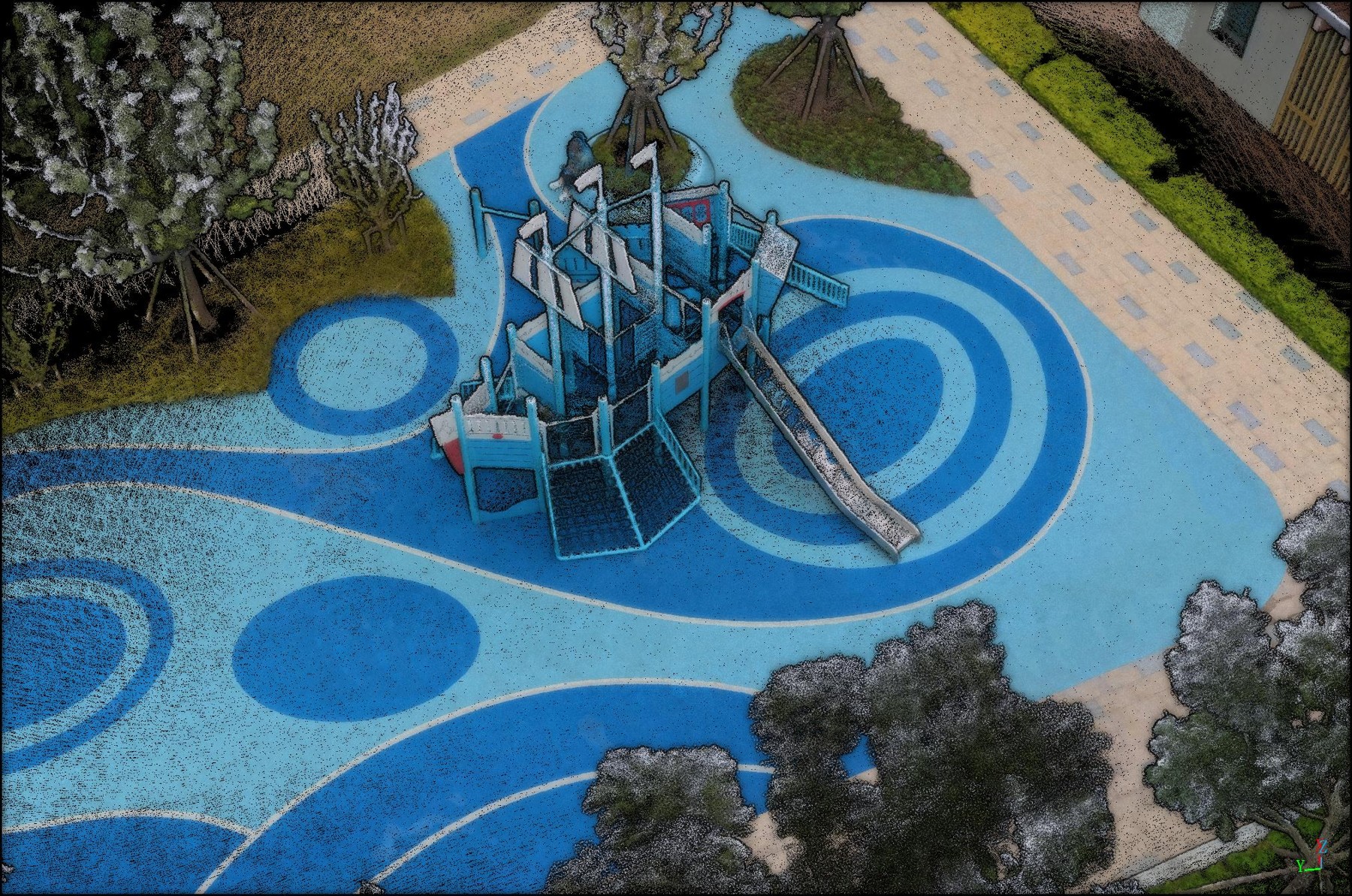
Capture detailed geometry over a wide field of view
A 360° × 270° system field of view and a scan rate of 640,000 points per second support coverage of facades, road environments and surrounding structures. The LiDAR measurement range is up to 120 m; usable coverage depends on the scene and target surfaces.
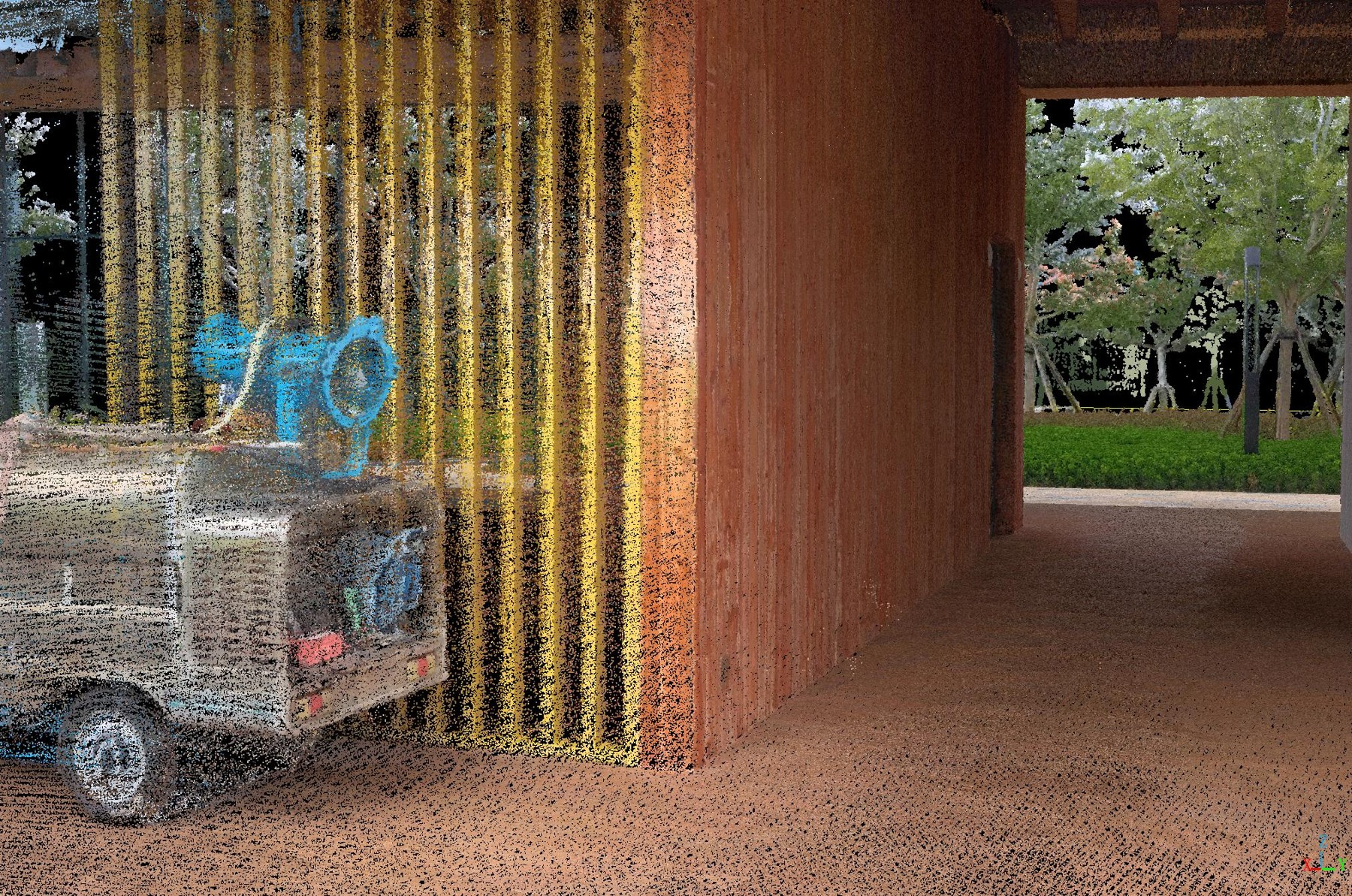
Refine positioning after field capture
Add manual control points in MVPStudio and reprocess the scan to re-optimize the trajectory and correct local drift. This gives teams flexibility to introduce additional control during project review and refine the result against the required project reference. Inspect and measure the updated point cloud before preparing the deliverable.
Additional control must refer to identifiable locations with reliable coordinates. Reprocessing does not replace independent accuracy checks or recover surfaces that were not captured.
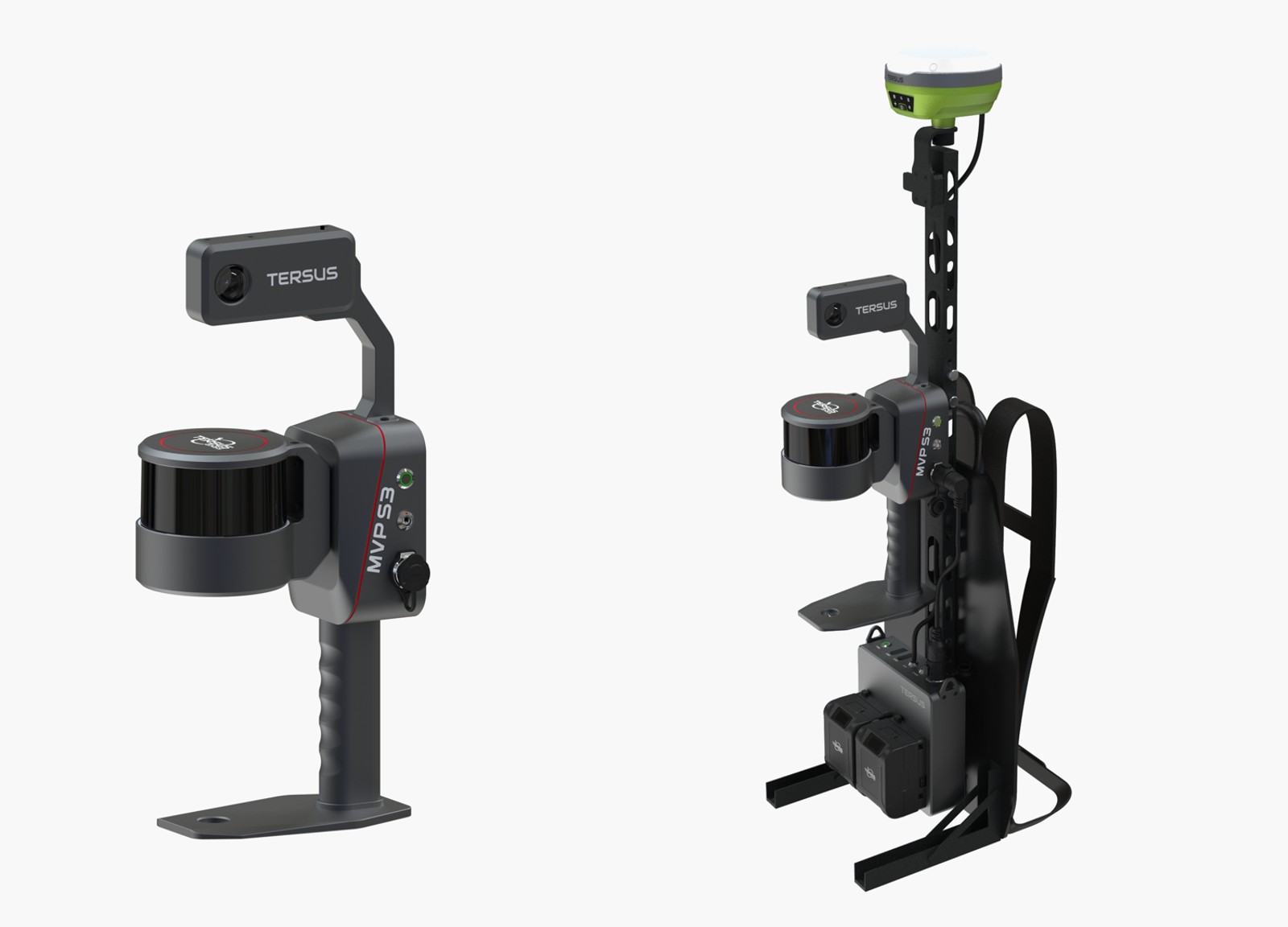
Choose handheld or backpack operation
Match the configuration to the task. The handheld setup suits shorter surveys and spaces that call for flexible handling, while the backpack setup supports longer walking routes.
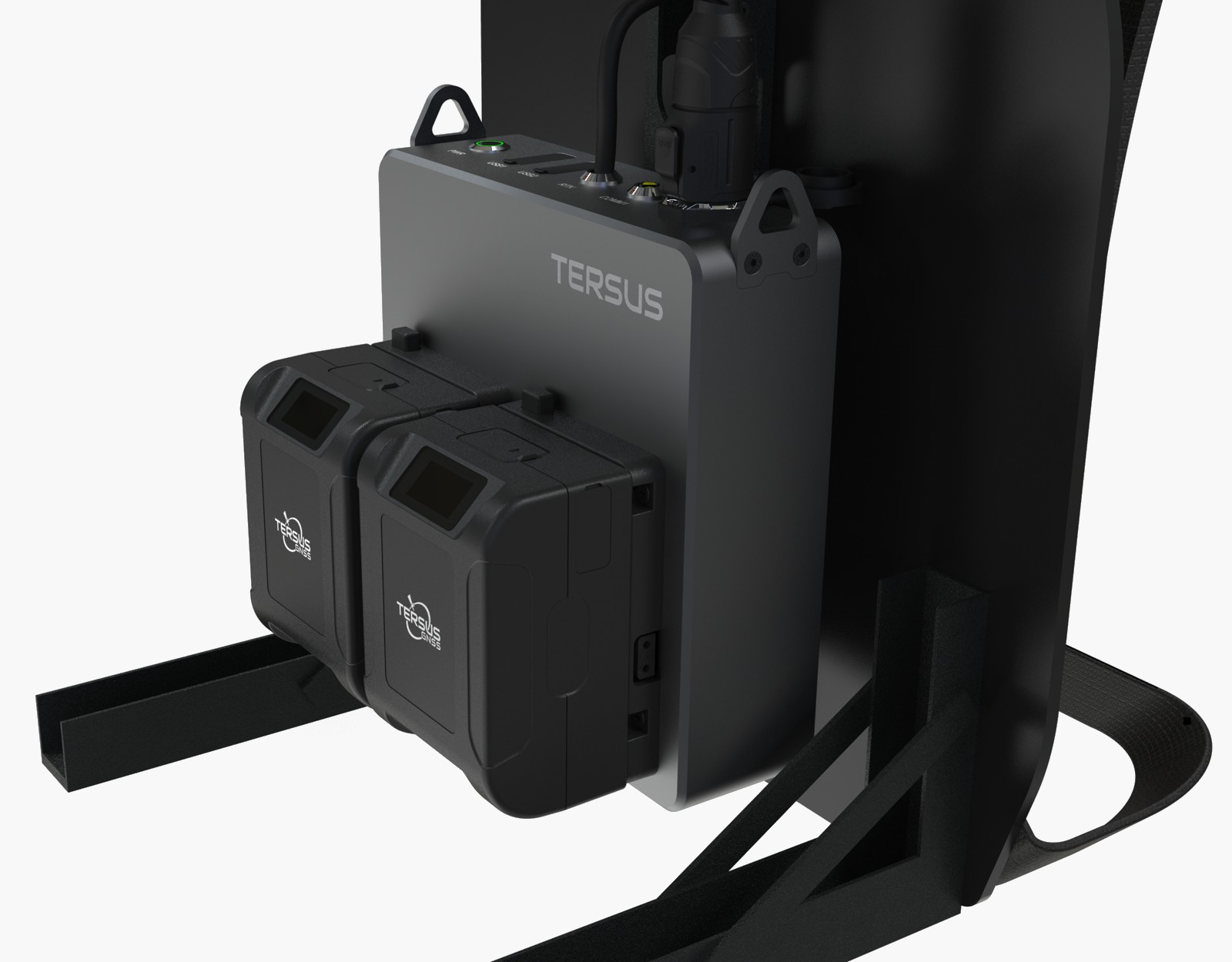
Keep longer missions moving
Scan for up to 3 hours per battery set. The two-battery hot-swap design lets you replace batteries without interrupting recording, supporting longer field sessions. The 1 TB onboard storage provides capacity for demanding capture projects. Battery life depends on use and conditions. The system is rated IP54, with an operating temperature range of −25°C to +65°C.
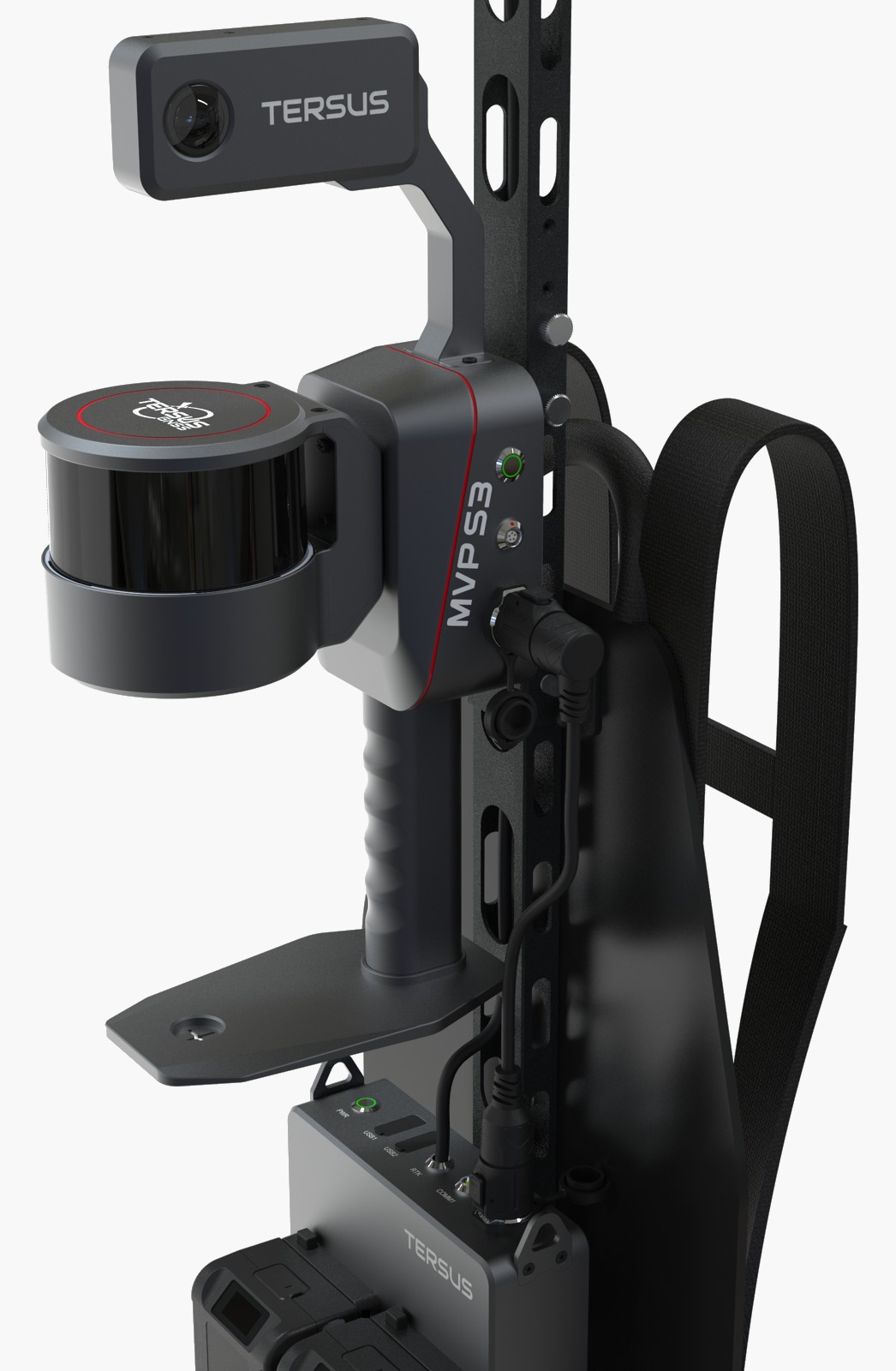
Add panoramic scene context
The optional Insta360 X4 Air camera module records panoramic imagery alongside the survey workflow. Use the imagery to document site conditions and provide visual context when reviewing the 3D data. The camera specification is 72 MP photos, 8K 360° video and a 360° field of view; these figures describe the camera, not point-cloud resolution.
See coverage while you scan
View the developing point cloud in MVP Capture while scanning. Review coverage, identify areas that need another pass and adjust your route before leaving the site. The preview supports field decisions; final accuracy is checked on the processed dataset.
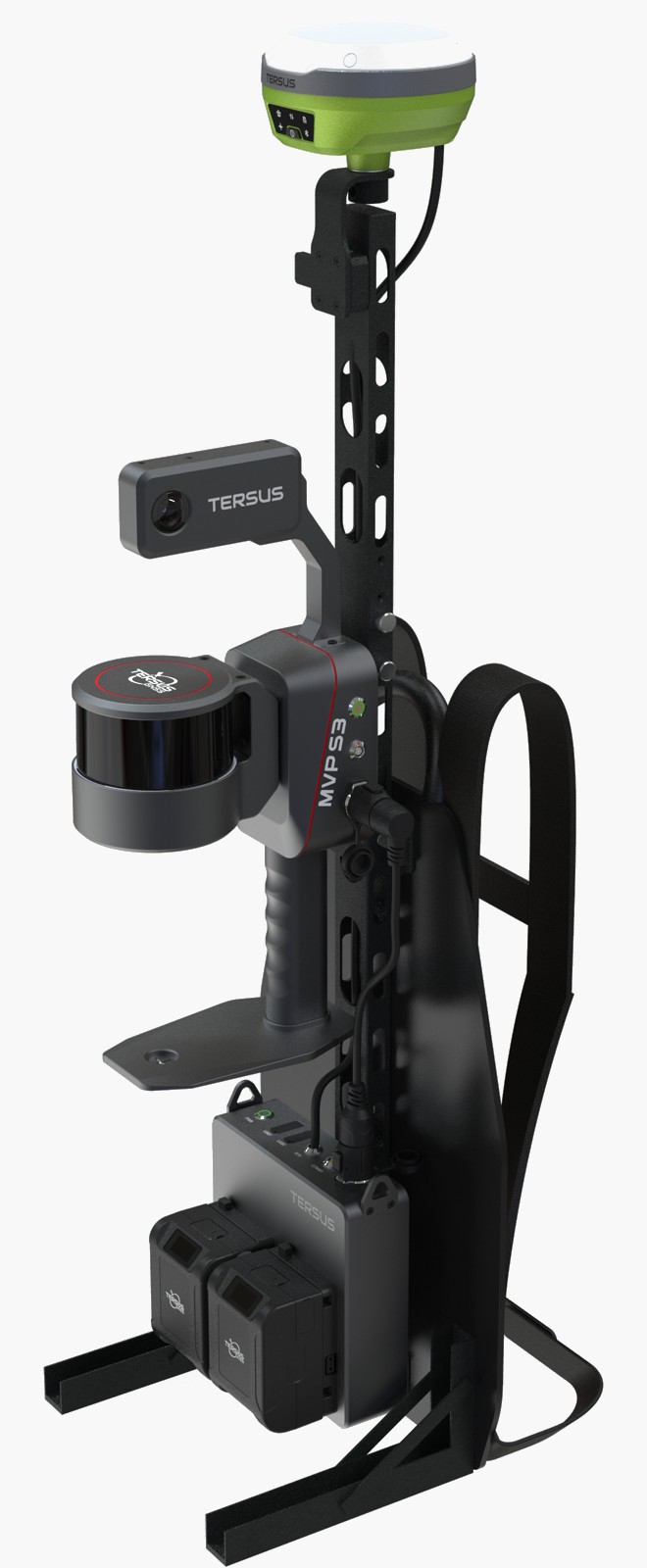
Scan without a local GNSS base station
Connect MVP S3 to the optional LUKA-TAP receiver for RTK and PPP positioning. With TAP, PPP corrections are delivered by satellite L-band, providing a positioning option without setting up a local GNSS base station. This reduces the equipment and logistics needed for projects where a nearby base is impractical.
Satellite PPP provides a base-station-free positioning option where suitable satellite reception is available, following convergence. RTK uses corrections from a local base station or an RTK network. SLAM supports local mapping through indoor and transition environments.
The optional LUKA-TAP receiver supports full-constellation, multi-frequency GNSS, RTK and satellite-based PPP positioning, extending the positioning options available for outdoor mapping projects.
Combine positioning with project control
Choose the positioning method and control workflow to suit the site and required deliverable. Add manual control points in MVPStudio, then reprocess to re-optimize the trajectory and correct local drift. Validate the finished result against independent checkpoints.
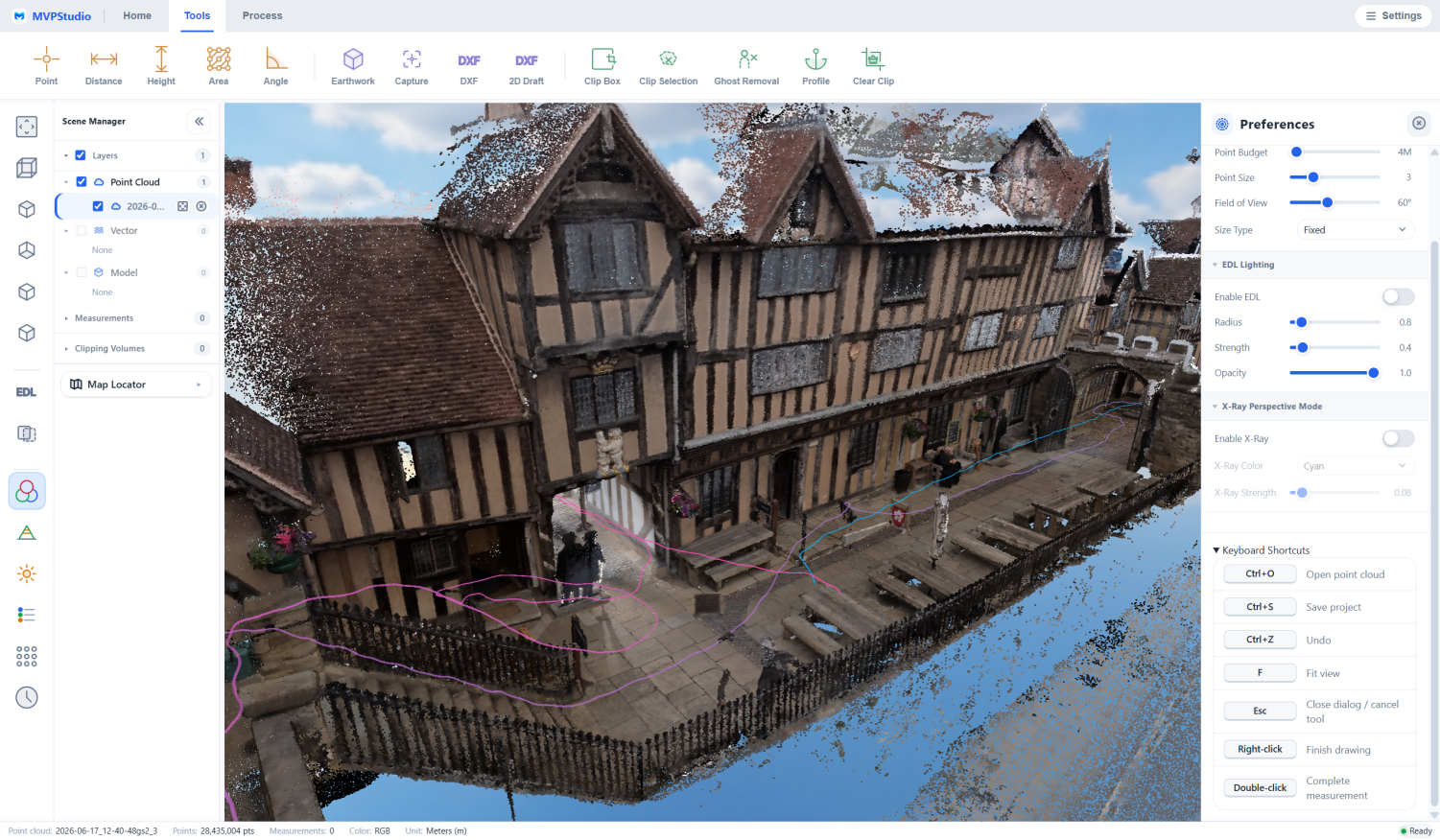
MVPStudio
Process S3 SLAM data, filter moving objects, add manual control points, re-optimize the trajectory and transform coordinates in MVPStudio. Inspect the point cloud, measure distances and areas, review sections, and crop or edit the data. Professional tools extend the workflow with CAD drawing and DXF export, feature extraction, ground classification and terrain outputs for downstream CAD, BIM and GIS work.
Available functions and output formats depend on the software edition and configuration.
A practical workflow from site to office
1 Plan and configure
Select handheld or backpack operation, plan the scan route, and identify the coordinate reference and control requirements. Select optional panoramic imaging or LUKA-TAP positioning as needed, and include independent checkpoints for the accuracy assessment.
2 Capture the site
Walk the planned route and monitor acquisition and live point-cloud coverage in MVP Capture. Capture missing or obscured areas before leaving the site.
3 Process and refine
Process the SLAM data in MVPStudio, apply moving-object filtering and transform coordinates as required. Add manual control points and reprocess to re-optimize the trajectory and correct local drift. Verify the processed result against independent checkpoints.
4 Measure and deliver
Continue in MVPStudio for inspection, measurement, editing and supported extraction work. Prepare the data and drawing outputs required by the downstream CAD, BIM or GIS workflow.
Applications
Buildings and as-built documentation
Capture interior spaces, facades and surrounding site conditions. Use the point cloud as a spatial reference for measurements, sections, drawing preparation and downstream BIM modeling.
Roads and infrastructure
Document accessible roads, structures and adjacent assets along a walking route. Review geometry and extract project features for infrastructure planning, mapping and maintenance documentation.
Mining and underground spaces
Record accessible mine areas and underground environments with a mobile SLAM workflow. Plan routes and project control around visibility, site access and the geometry needed for processing. Observe site-specific equipment and safety requirements.
Forestry and outdoor sites
Collect 3D information about vegetation and surrounding terrain for forest and environmental survey workflows. Review coverage and select appropriate control and processing methods for the site.
Industrial facilities and large sites
Capture existing structures and equipment layouts for spatial documentation, measurement and engineering reference. Combine mobile field collection with office review to prepare the required project information.
From field acquisition to useful deliverables
MVP Capture supports field acquisition and live preview, while MVPStudio brings SLAM processing, point-cloud refinement and downstream deliverable preparation into one software workflow.
Tersus MVP Capture: Manage field acquisition and monitor the scanner during data collection. Review the live point cloud to check coverage and guide the scan route.
Available functions and output formats depend on the software edition and configuration.
A practical workflow from site to office
Workflow tools
Technical specifications
System
LiDAR sensor
Accuracy and configuration notes
Product resources
Discuss your next mapping project
Tell us about your site, required accuracy and final deliverables. The Tersus team can help you review the scanner configuration, optional positioning and imaging modules, and software workflow for the job.